Deploy Your Token on Chain
This section covers the final step of launching your meme token: confirming the transaction and deploying it on-chain.
Step 1: Review & Click "Create Token"
After filling all fields in the "Create Your Meme Token" modal:
- Token Name:
US - Token Symbol:
America - Description:
America is republican state - Image: Uploaded (PNG/JPG, ≤5MB)
A 0.02% platform fee is displayed.
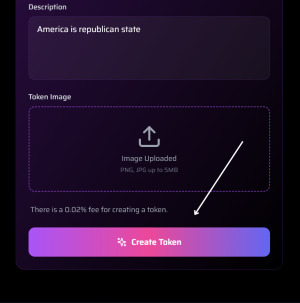
All fields complete → "Create Token" button becomes active
Step 2: Click "Create Token"
- Click the gradient "Create Token" button.
- The button briefly shows "Creating Token..." with a loading animation.
Step 3: Wallet Confirmation Popup
Your connected wallet (e.g., Phantom, MetaMask) will open a confirmation modal:
Key Details in Wallet Popup:
| Field | Value |
|---|---|
| Site | memehome.io |
| Network | Solana (or current chain) |
| Network Fee | 0.00001 SOL (estimated) |
| Action | Deploy new token |
| Warning | "Only confirm if you trust this website" |
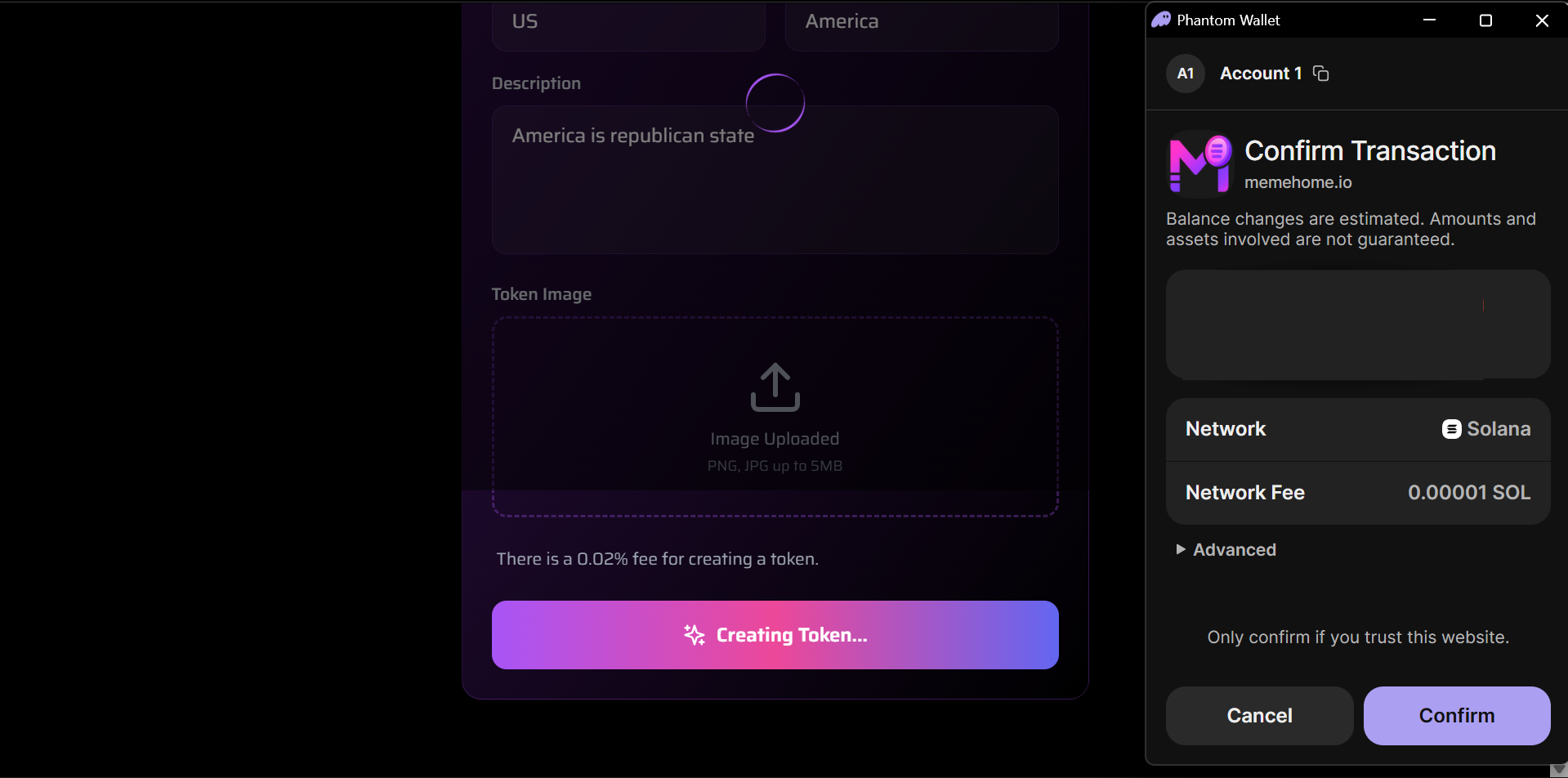
Review and confirm the on-chain deployment
Security Note: You are approving deployment, with giving away funds.
Step 4: Confirm in Wallet
- Review the transaction details.
- Click "Confirm" in your wallet.
- Wait ~2–5 seconds for on-chain confirmation.
Transaction is non-custodial — fully executed on Solana (or selected chain).
Step 5: Token Deployed Successfully!
Once confirmed:
On Homepage:
- Your token appears in Trending Coins or token grid.
- Creator badge shows:
3HG7H... created US - Market cap starts at $0.00K and grows with buys.
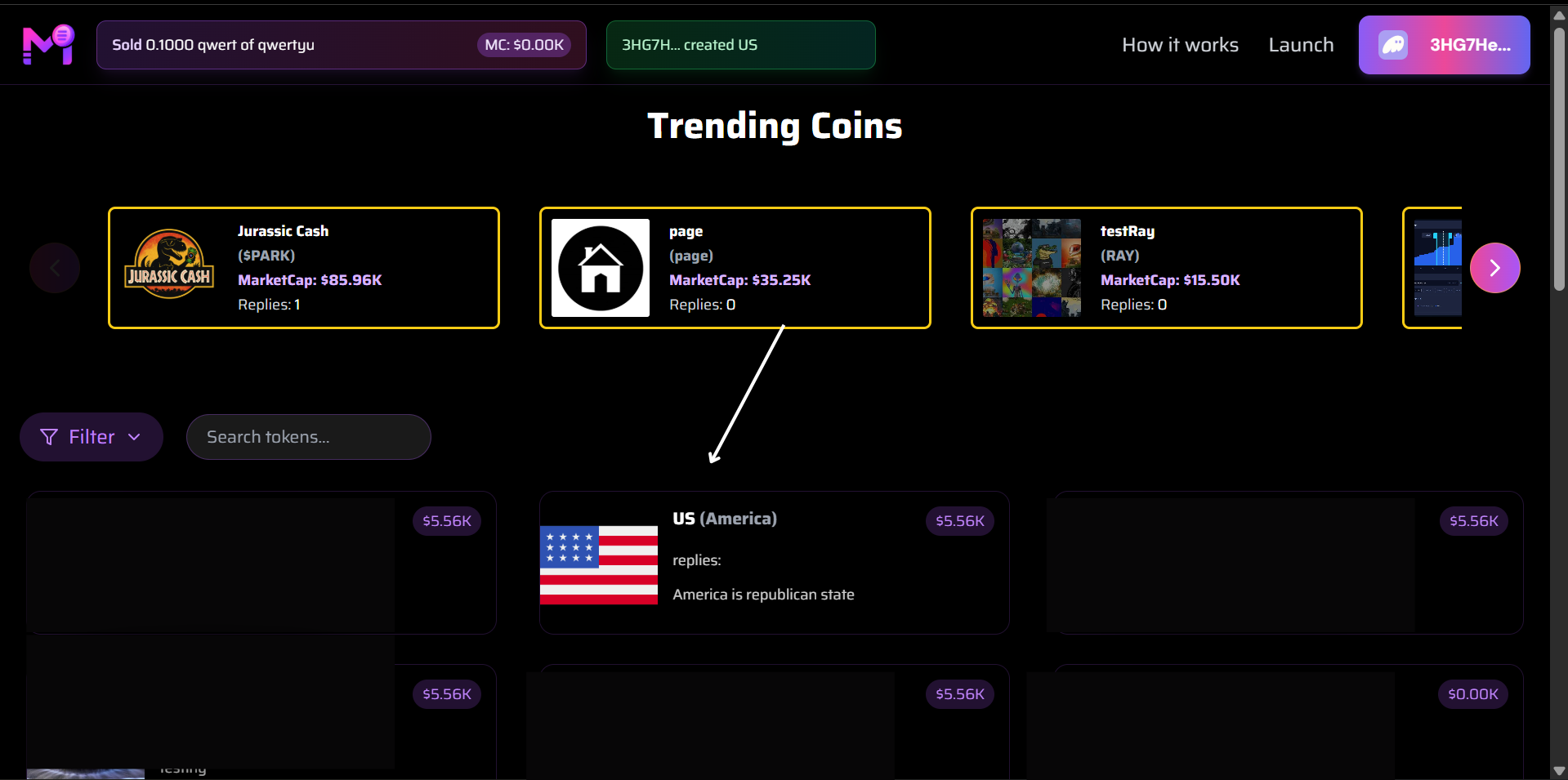
Newly created "US (America)" token visible with flag and description
Token Launch Summary
| Step | Action |
|---|---|
| 1 | Fill name, symbol, description, image |
| 2 | Click "Create Token" |
| 3 | Confirm in wallet (pay ~0.00001 SOL + 0.02% fee) |
| 4 | Token deployed instantly |
| 5 | Tradable immediately |
Post-Launch
- Share your token link
- Watch replies and market cap grow
- Others can now buy/sell your token
Your token is live forever on-chain — no rugs, no dev control.
Congratulations! You’ve launched a meme coin.