Launch Coins Guide
This guide walks you through creating and launching your own meme token directly from the homepage. No coding required just a few clicks!
Step 1: Access the Launch Feature from Homepage
-
Open the homepage
→ Ensure your wallet is connected (see Connect Wallet Guide). -
Locate the "Launch" button
- Found in the top navigation bar, next to "How it works".
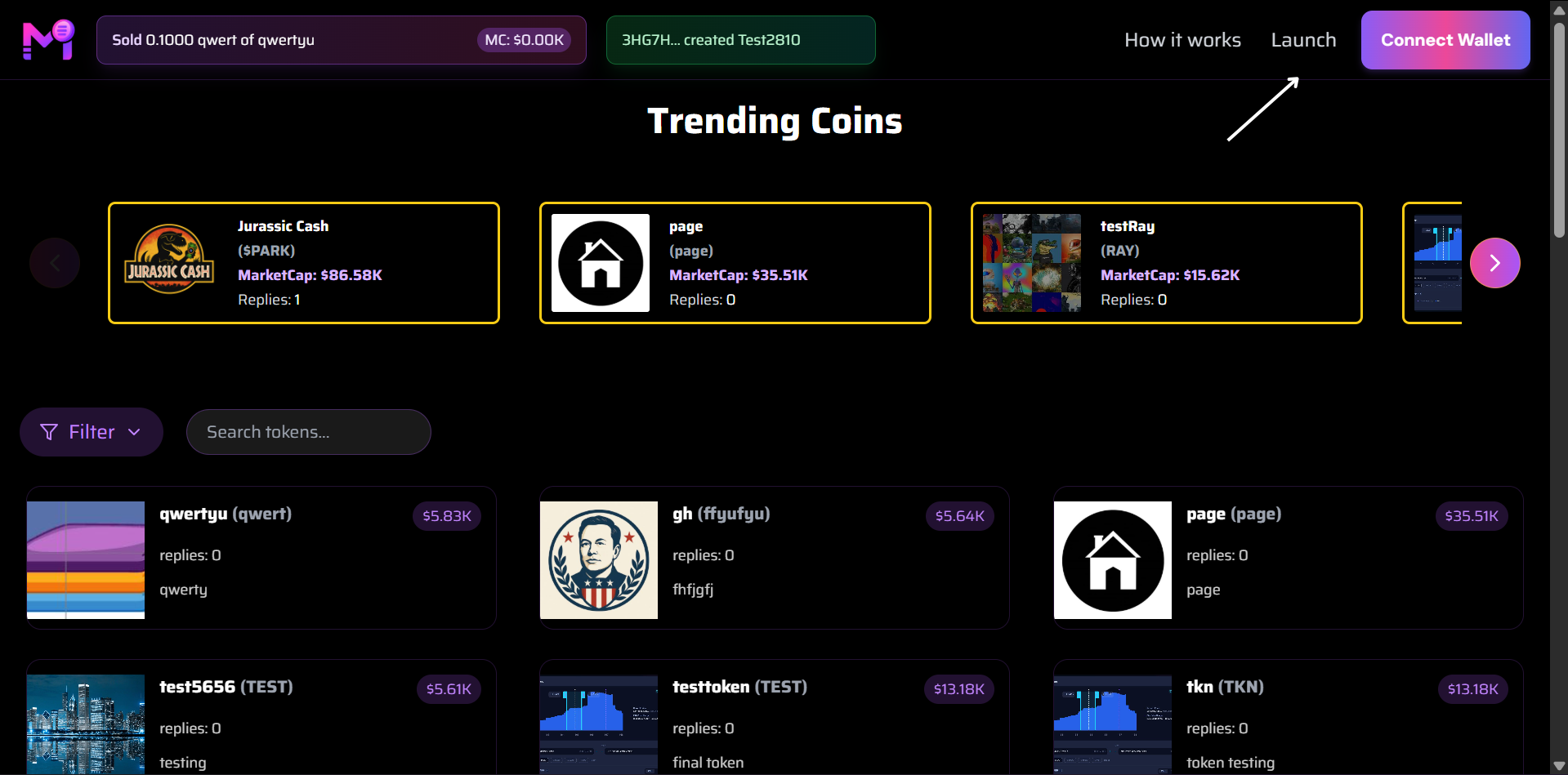
Click the "Launch" button to begin creating your token
Step 2: Open the "Create Your Meme Token" Modal
- Clicking Launch opens a sleek modal titled "Create Your Meme Token".
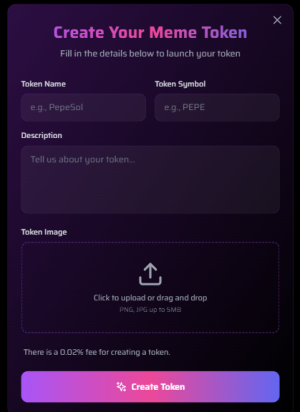
Main launch interface with all input fields
Step 3: Fill in Token Details
1. Token Name
- Enter your token’s full name (e.g.,
US). - Max length: 32 characters.
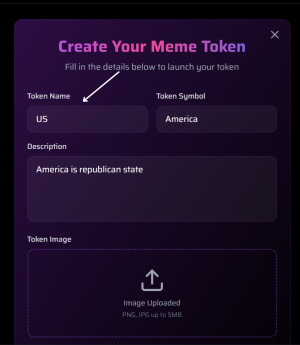
Example: Entering "US" as token name
2. Token Symbol
- Short ticker symbol (e.g.,
America). - Usually 3–6 characters, uppercase.
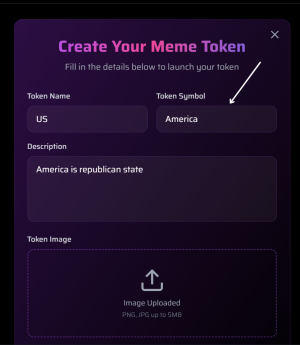
Example: "America" as ticker
3. Description
- Brief description of your token.
- Appears on token page and in search results.
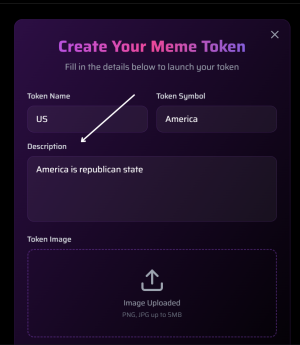
Example: "America is republican state"
4. Token Image
- Upload a square image (PNG, JPG, GIF).
- Recommended: 512x512 px.
- Max size: 2 MB.
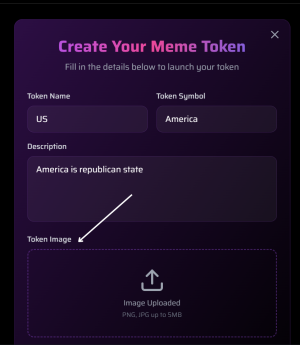
Drag & drop or click to upload your meme logo
After upload:
→ Shows preview with "Image Uploaded" and file name.
Summary: Launch Checklist
| Step | Action |
|---|---|
| 1 | Connect wallet |
| 2 | Click Launch |
| 3 | Fill Name, Symbol, Description |
| 4 | Upload image |
Pro Tip: Use a catchy name + viral image = higher chance to trend!