Connect Wallet Guide
This document explains how to connect a cryptocurrency wallet to the platform using the Connect Wallet button. Once connected, your wallet address will be displayed on the homepage, enabling full interaction with tokens (buy, sell, launch, etc.).
Step-by-Step: How to Connect Your Wallet
1. Locate the Connect Wallet Button
- The "Connect Wallet" button is located in the top-right corner of the homepage.
- It features a gradient purple-pink design and is clearly labeled.
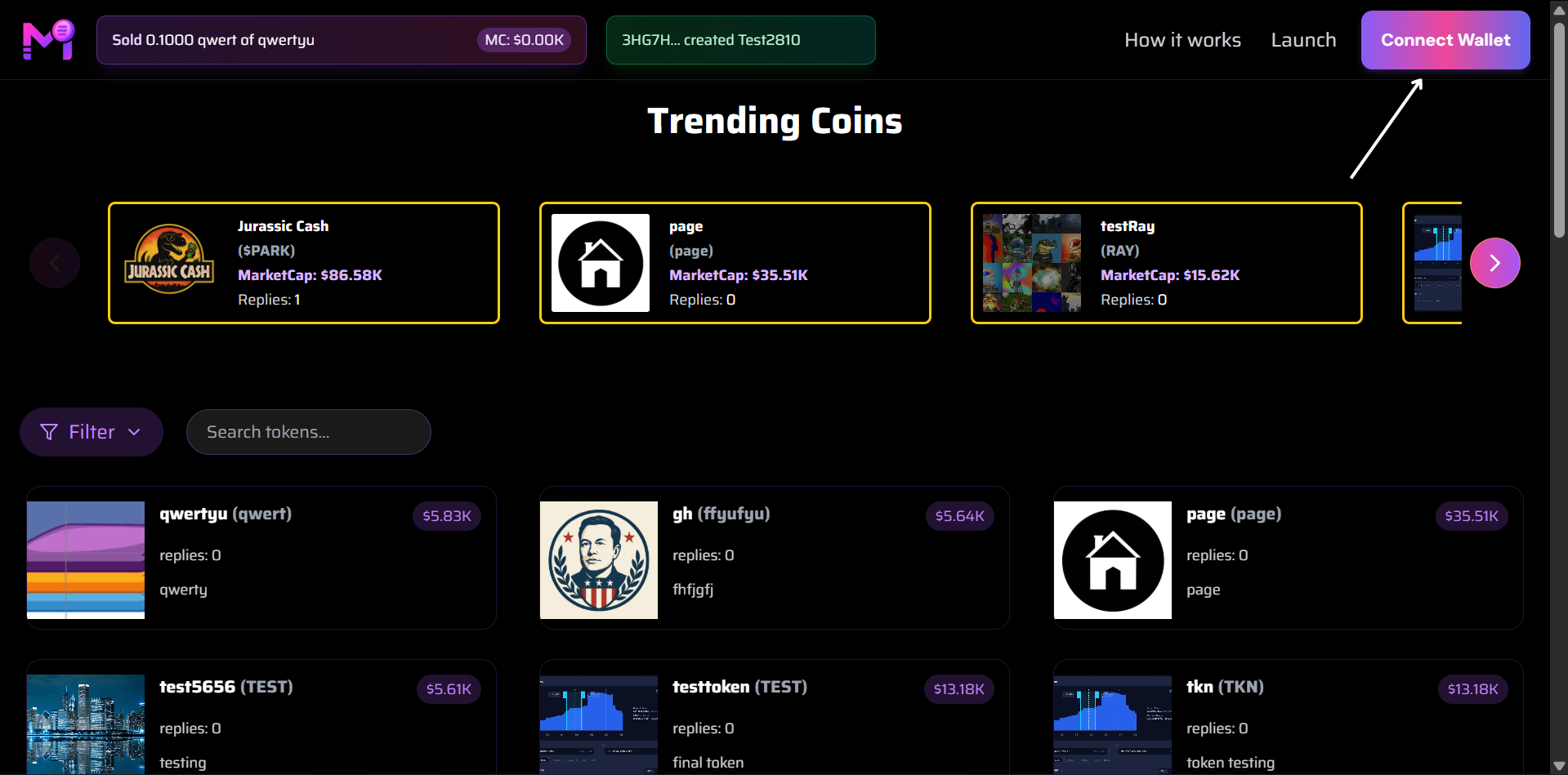
Click this button to begin wallet connection
2. Click "Connect Wallet"
- Click the button to open the wallet selection modal.
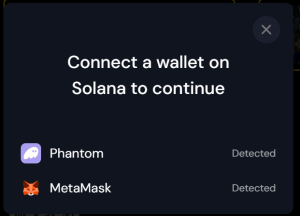
Choose your preferred wallet provider
3. Select Your Wallet
- A list of supported wallets will appear (e.g., MetaMask, Phantom, WalletConnect, etc.).
- Click on the wallet you currently have installed and active.
Tip: Make sure your wallet browser extension is installed and unlocked.
4. Authenticate the Connection
- Your selected wallet will prompt you to approve the connection.
- Review and confirm the request in your wallet interface.
5. Wallet Connected Successfully
- After approval:
- The "Connect Wallet" button disappears.
- Your wallet address is now displayed in the top-right corner (shortened format).
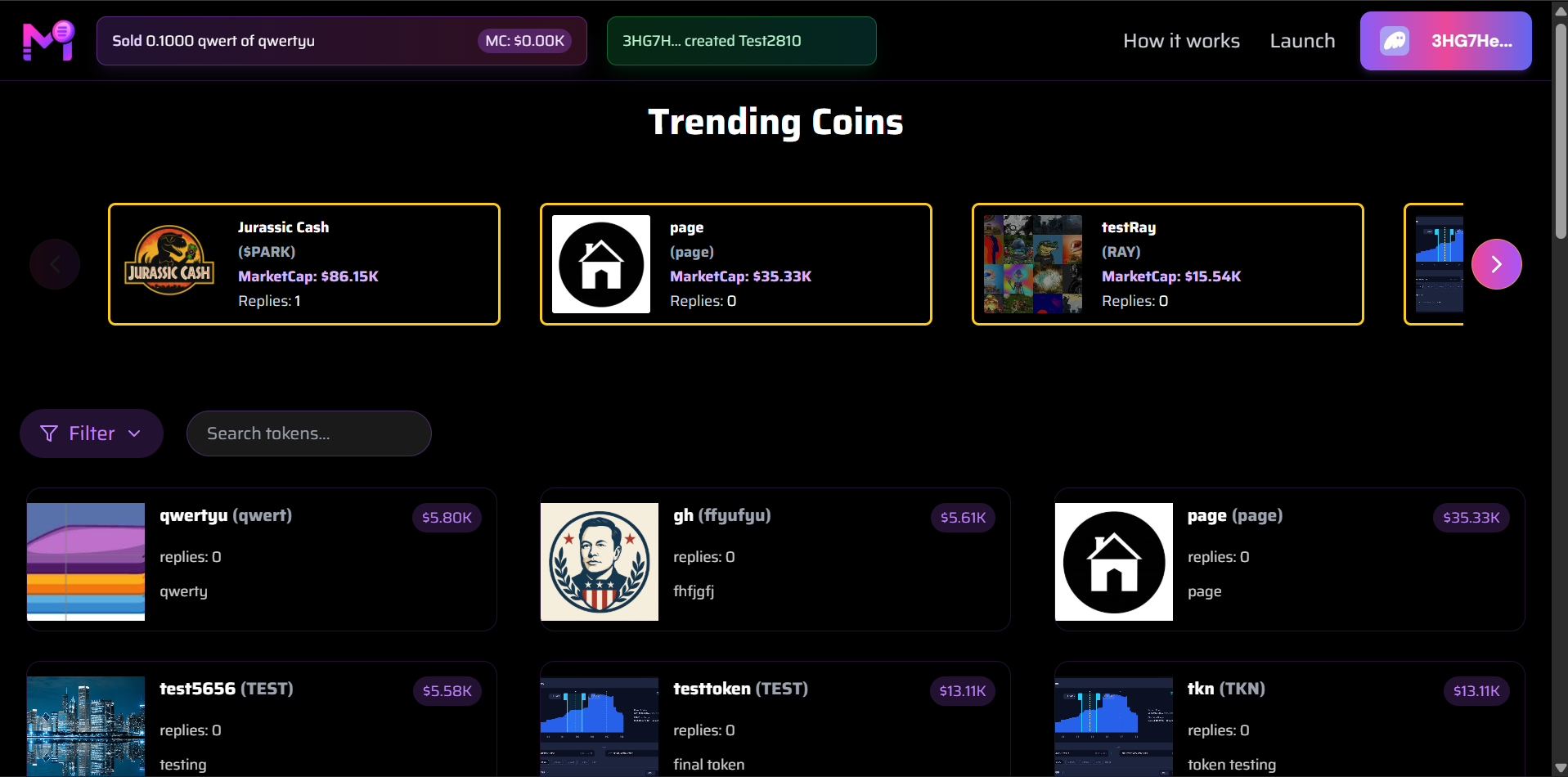
Example: 3HG7...2810 shown after successful connection
What Happens After Connecting?
| Feature | Status |
|---|---|
| View your wallet address | Visible in header |
| Buy/Sell tokens | Enabled |
| Launch new tokens | Enabled |
| View transaction history | Available |
| Interact with trending coins | Fully functional |
Troubleshooting
| Issue | Solution |
|---|---|
| Button not responding | Refresh page or disable ad-blockers |
| Wallet not detected | Ensure extension is active and unlocked |
| Wrong network | Switch to supported chain in wallet |
| Connection rejected | Try again or use different wallet |
You're now connected and ready to trade!
Your wallet address is your identity on the platform — keep it secure.
Security Note: Never share your private keys or seed phrase. The platform only requests connection permission, not control of your funds.